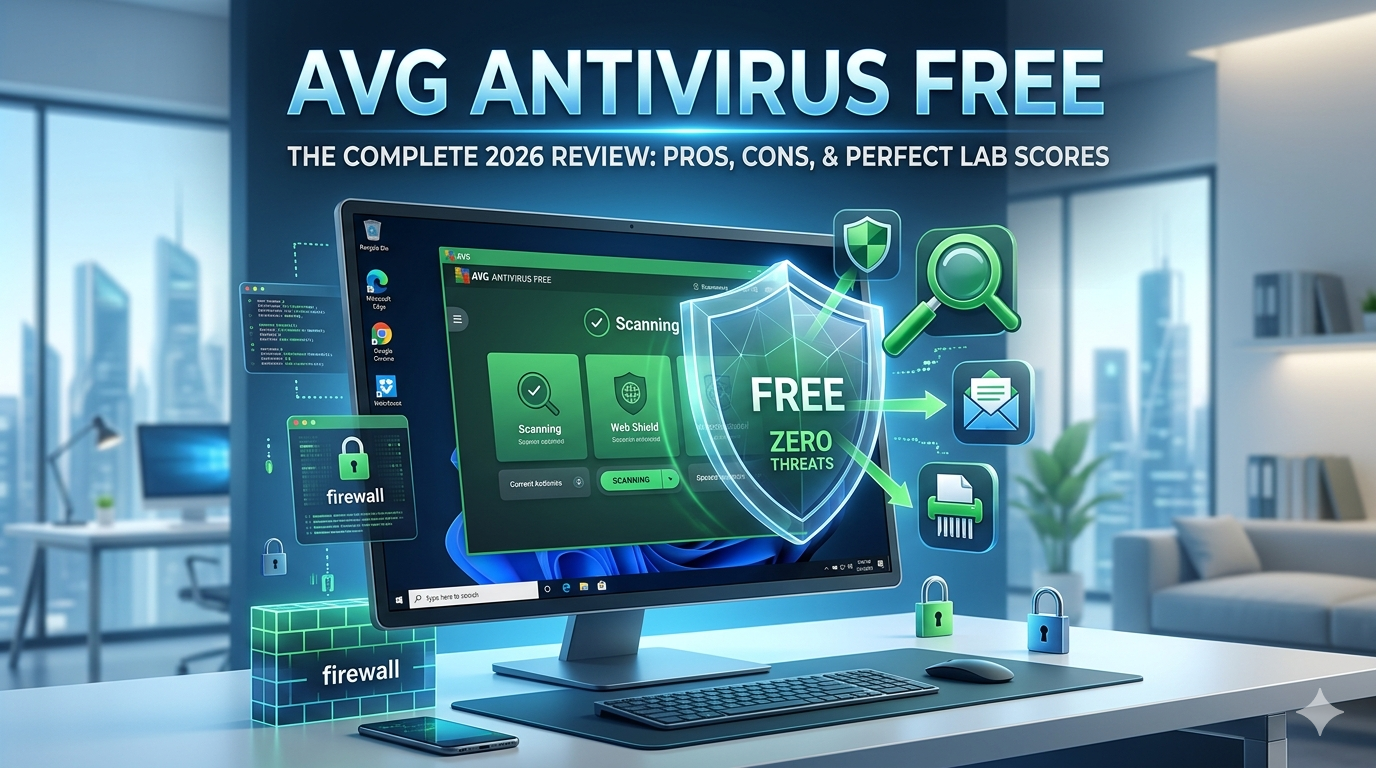
Our comprehensive 2026 review of AVG AntiVirus FREE for Windows.
In a world where digital threats evolve by the minute, securing your Windows PC shouldn’t have to cost a fortune. AVG AntiVirus FREE has been a household name in cybersecurity for over three decades, providing zero-cost protection to millions.
But how does it hold up today? With major independent testing labs consistently putting it through its paces, we took a deep dive into the 2026 edition of AVG AntiVirus FREE for Windows 10 and 11 to see if it still delivers elite security without slowing you down.
🛡️ AVG AntiVirus FREE: Core Security Features: What Do You Get for Free?
AVG antivirus free version doesn’t just offer a simple file scanner; it brings a multi-layered defense system to the table. Even on the free tier, you get access to tools that many competitors lock behind a paywall.
1. Six Layers of Malware Scanning
AVG provides an impressive variety of on-demand and scheduled scans:
- Smart Scan: A comprehensive 30-second check that looks for active malware, browser vulnerabilities, and performance junk.
- Deep Scan: A thorough, bit-by-bit inspection of your entire hard drive.
- Boot-Time Scan: A rare and powerful feature that runs before Windows fully loads, catching stealthy rootkits and deeply embedded malware.
- USB/DVD Scan: Instantly checks external media the moment you plug it in.
2. Web & Email Shields
Cybercriminals rely heavily on phishing to steal passwords. AVG’s Web Shield operates silently in the background, analyzing links and blocking dangerous, counterfeit websites in real time. Meanwhile, the Email Shield scans incoming attachments to ensure you don’t accidentally open a trojan horse.
3. Basic Firewall & File Shredder
While advanced network rules are reserved for the paid edition, the free version includes a stable, hassle-free background firewall that keeps unauthorized traffic out. You also get a built-in File Shredder tool, which securely overwrites deleted files so they can never be recovered by data-forensic software.
📊 Lab Test Results: Perfect 10 Security
You don’t have to take our word for how safe AVG is. Major independent antivirus testing institutes consistently rank AVG antivirus free version at the top tier of malware protection:
- AV-Test Institute: Reached a perfect 18/18 score across Protection, Performance, and Usability.
- AV-Comparatives: Earned the highest Advanced+ rating across all real-world protection tests, showcasing near-perfect detection rates against zero-day threats.
- SE Labs: Historically secures top-tier AAA Certification, utilizing the same advanced machine-learning engine as its sister company, Avast (both owned by Gen Digital/Norton).
⚖️ Pros and Cons
Every software has its trade-offs. Here is the honest breakdown of what makes AVG antivirus free version great, and where it falls short.
The Pros 👍
- Flawless Protection: Industry-validated, 100% detection rates against viruses, spyware, and trojans.
- Highly Configurable: Unlike rigid free tools, AVG antivirus free version lets you deeply customize your installation and toggle individual shields off or on.
- No Registration Needed: You can download, install, and fully protect your computer without ever entering an email address or credit card.
- Lightweight Idle Footprint: It runs smoothly in the background without causing system stutter during day-to-day web browsing.
The Cons 👎
- Persistent Upselling: After running a scan, the software will frequently flag “performance issues” or “advanced vulnerabilities” that you can only fix if you upgrade to the paid tier.
- Resource-Heavy Deep Scans: While the idle footprint is low, a full Deep Scan can consume notable CPU cycles on older hardware.
- No Advanced Ransomware or Webcam Protection: To block hackers from hijacking your webcam or encrypting your files for ransom, an upgrade is required.
💻 System Requirements
Before downloading, ensure your Windows machine meets these basic specs:
- Operating System: Windows 11, 10, 8.1, 8, or 7 (32 or 64-bit).
- Memory: Minimum 4 GB RAM.
- Storage: 2 GB of free hard disk space.
- Processor: Intel Pentium 4 / AMD Athlon 64 or above (ARM chips supported on Windows 11 only).
🛠️ How to Get Protected: Step-by-Step Installation
Getting your PC locked down takes less than two minutes:
1.Download the Installer:Takes ~30 seconds.
Visit the official vendor store page to safely download the lightweight installation package.
2.Run and Customize:Avoid bloatware.
Open the downloaded file. Click “Customize” instead of express install if you want to pick exactly which shields (like Email or File Shredder) you want to activate.
3.Execute Initial Smart Scan:First-time optimization.
Once the dashboard launches, click “Run Smart Scan” to establish a secure baseline and clear out any immediate threats hiding on your system.
🏁 The Verdict: Is It Right for You?
If you are looking for a reliable, “set-it-and-forget-it” security tool that won’t cost you a dime, AVG AntiVirus FREE is a fantastic choice. It delivers the exact same elite malware-crushing engine found in premium software. While the occasional pop-up ad encouraging you to upgrade can be slightly annoying, it is a very small price to pay for world-class, free cybersecurity.
🛒 Ready to protect your PC? Secure your device directly through the official vendor channel:
👉 Download AVG AntiVirus FREE via the Official Microsoft Store
🏁 Need an alternate?
try avast antivirus, read a detailed review Avast Antivirus Review (2026): Is It Still Elite, or Just Bloatware?
About the Author